
Name-Based Case Searches
Start your Lamar Superior Court docket search at the Georgia Courts E-Access directory. Find the Lamar row. That row points you to PeachCourt, and it notes an account is required. Once signed in, PeachCourt's public help explains, you pick the county and court. Then you look up a case by case number or party name. What the public materials leave out is the fine print. Wildcard rules, first-name order, date filters, and other options wait behind the account wall.
- Identify the court from a summons, pleading, notice, citation, or prior order before entering a name.
- Follow the official Lamar Superior Court link to PeachCourt and sign in or create a free account.
- Choose Lamar County and the matching Superior Court option if those labels appear, then enter the party name as printed on the record.
- Review the court, case style, filing year, and case type before selecting a match. Similar names can belong to different files.
- Open the matching record and choose
View Case Docket. Read the header, then review entries from oldest to newest.
No result does not mean no record. Try the exact case number. Strip out punctuation. Shorten the surname, and double-check which court you searched. A Lamar County court record could sit in a different office. Or law may restrict it. Never treat a name search as proof of anything about a person.
| Field Label | Type | Required | What Is Known |
|---|---|---|---|
| County | Dropdown | Expected | Select Lamar; exact authenticated label needs verification |
| Court | Dropdown | Expected | Choose the responsible Superior Court option |
| Case number | Text | Alternative | Strongest key; public help gives no format or wildcard rule |
| Party name | Text | Alternative | Use the official case style; order and partial-match behavior are not public |
| Case Search | Action | Yes | Available after login |
Georgia E-Access Routes Lamar Dockets
Georgia has no single anonymous statewide search box for every trial-court docket. Instead, the E-Access page works as a directory. For Lamar Superior Court, it points to PeachCourt. That is the same provider named in Georgia's e-filing directory for mandatory Lamar Superior civil e-filing. Search access and filing access both run through that vendor, but they remain separate tasks. Before any private case opens, the public PeachCourt login page shows the account requirement plainly. The official page makes clear that signing in is how Lamar County docket search begins there. It is not a sign that a case is missing.
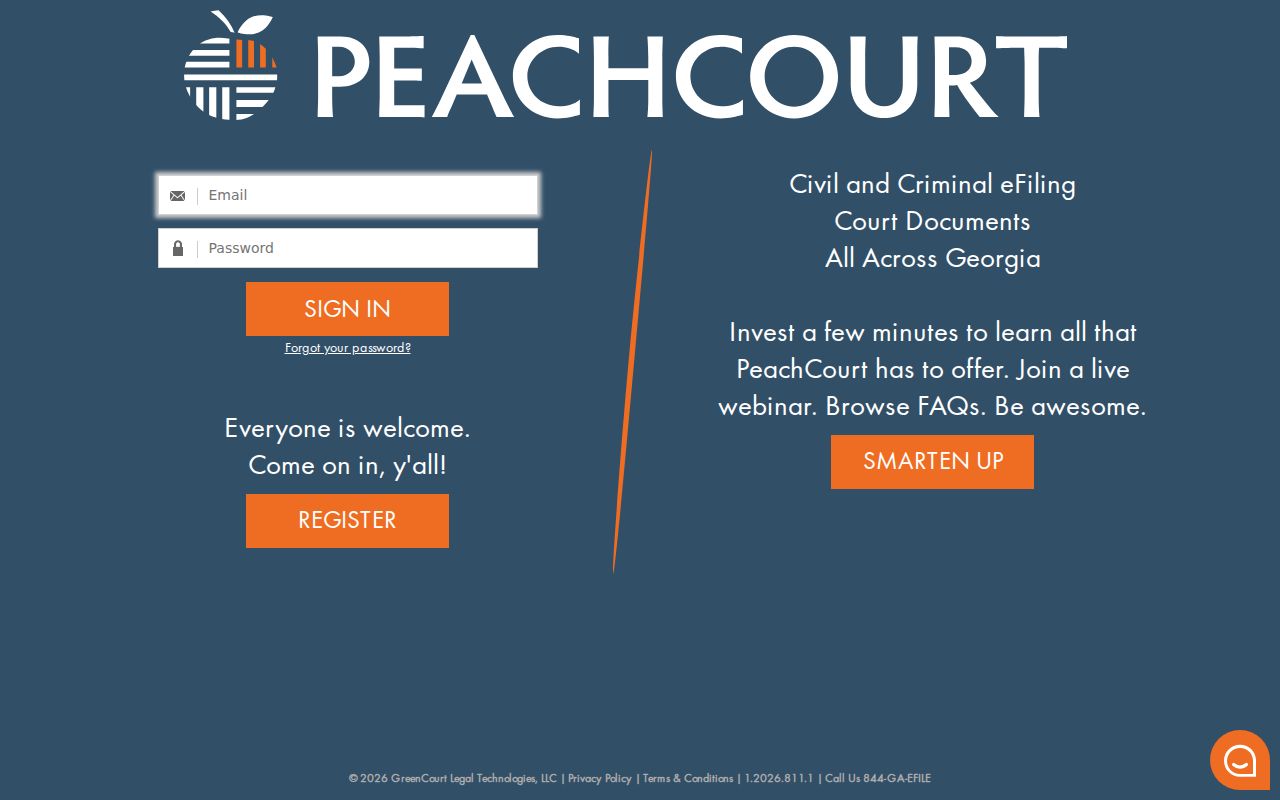
So treat that login wall as a gateway to Lamar County docket search. It is not evidence that your case is missing.
Case Number Searches
The strongest way into a Lamar County court docket is a full case number. Pull it from whatever court paper you already hold: the summons, a complaint, an indictment, a traffic citation, a letter from the clerk, or an older order. Type the identifier exactly as it is printed. Names collide; numbers rarely do.
One caution, though. Lamar County has never issued a county-wide manual that fixes how every case number must look. The public examples out there are too sparse to prove any single format. A civil filing might resemble 2026-CV-00123, but that string is just an illustration. Do not treat it as a template for building a real number. Older files can look different, and so can dockets from other Lamar courts. Also keep GSCCCA numbers out of this search entirely. Book/page, lien, plat, and instrument numbers belong to recorded land records, not to a Superior Court case lookup.
Suppose the whole number comes up empty. Check every character against the paper and confirm you have the right court. Then ask the clerk's office how the portal likes its numbers: with or without punctuation, with leading zeros, or in some legacy style a court still uses. Guessing pieces one at a time is risky. A near match can easily be a different case. Treating it as yours can send you down the wrong docket entirely.
Lamar Case Numbers Versus Instrument Numbers
Two different record systems wear similar numbers in Lamar County. A Superior Court case number points to an action in court. A GSCCCA instrument, book/page, lien, plat, or UCC number points to a recorded land or commercial filing. Clerks on both sides may maintain these systems. Yet one number will not unlock the other's records.
For a Lamar Superior case docket, go through PeachCourt. For deeds, liens, plats, UCC filings, and similar instruments, use the GSCCCA search systems. A paper that lists both identifiers deserves a moment's thought. Ask which record you truly need before ordering a copy.
Lamar County Docket Registration
Registering on PeachCourt costs nothing, but the form is not one click. It wants the account holder's name, a confirmed email, a password, a secret question with its answer, a four-digit PIN, a reCAPTCHA, and your acceptance of the terms. That is why nobody lands on an anonymous Lamar County docket result on a first visit. It is also why going through the official directory beats trusting a stale search-engine link. The public registration page shows every field a Lamar searcher must fill in.
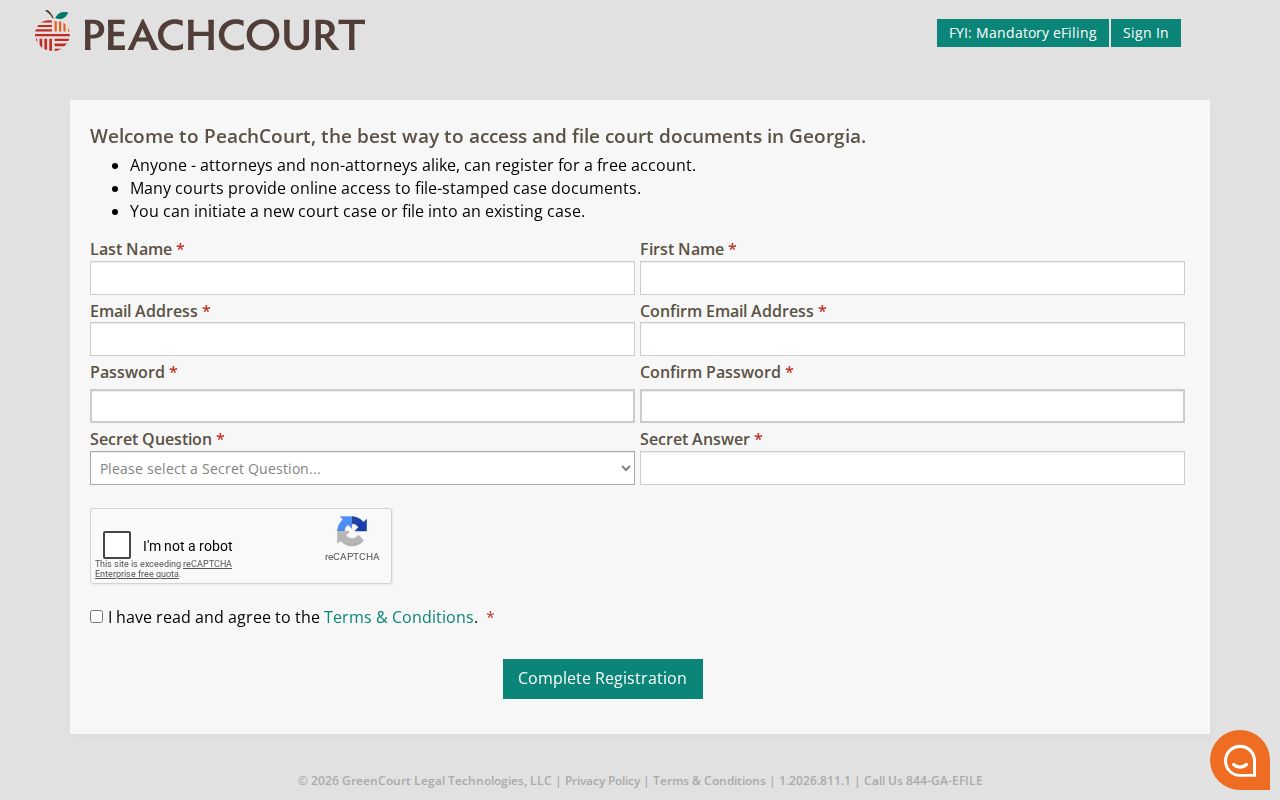
Filling out this form only gets you in the door. Signing in does not promise that every Lamar court, sealed matter, older paper case, or document image will then appear.
Case Search Results Explained
Start with the header, not the events. On a Lamar County case record, the header tells you which court and division you are in, plus the case number, the style, the filing date, the parties, and the current status whenever those fields show up. Once that part is clear, work through the docket entries in order, from the first filing forward. A single line near the top can look final. It rarely is. A plea, a continuance, a later order, or an appeal can quietly change what that earlier entry means, so the end of the chronology is where the real story lands.
| Case Number | The court-assigned key; copy it exactly for later searches and clerk requests. |
|---|---|
| Case Style | The caption or party-name line used to identify the matter. |
| Court and Type | The Lamar tribunal and category, such as Superior civil or criminal. |
| Filed Date | The date the initiating case material was entered, not necessarily the date of each later event. |
| Status | An open, closed, disposed, or other label if provided; confirm it against the latest order. |
| Docket Entries | The dated register of filings, settings, orders, and other court events. |
One caution here. A docket line is not the same as a signed document. The line tells you when an order hit the file. The document itself holds the judge's actual words. And when you need to confirm a hearing that is still upcoming, the Lamar County Court Schedule page is the better route. It carries the newest setting.
Lamar Criminal Docket View
PeachCourt's public criminal-filing help shows a docket control sitting beside each defendant or co-defendant. Click View Case Docket to open the record. A second button, File into this case, exists for e-filing, and it is easy to mistake for public docket access. It is not the same thing.
Read the charge and count lines together with any later disposition entries. Bond posted is not a guilty finding. A setting on the calendar is not a result. A restriction notice is not a dismissal. If an older criminal file is sealed away or simply unavailable, call the Lamar Superior/Juvenile Clerk instead of relying on an arrest or history database for the answer.
Lamar Docket Access Versus Documents
Spotting the case on a screen is not the same as seeing every page behind it. PeachCourt draws a line between docket viewing and document access in its help material. An eFiler of Record gets complimentary access to e-filed civil documents. Manual and criminal documents, though, may carry vendor charges. Those vendor charges are separate from the fee a Lamar clerk charges for a plain or certified copy of a court record.
| Information Level | What It Gives | Next Step |
|---|---|---|
| Search result | A possible case match and basic header details | Open and verify the correct court and parties |
| Docket view | A chronological list of filings and events | Read the newest lines before relying on status |
| Document image | The filed pleading, notice, or signed order | Use available vendor access or ask the clerk |
| Certified copy | An official clerk-certified court record | Request it from the office that keeps the file |
A portal can show the docket while blocking the image. When that happens, call the Superior/Juvenile Clerk at 770-358-5145 or view the file at the courthouse where public access permits. Request the document by case number, filing date, and docket description.
Two Ways to Search: County and State
The real comparison is a Georgia routing directory versus the court's own provider route. It is not two rival databases. Georgia E-Access tells you which participating courts make records available. It also points you to the right system. PeachCourt is the linked case and document provider for Lamar Superior Court. GSCCCA plays a different role entirely, covering land and commercial records.
| Georgia or State Layer | Lamar Court Layer |
|---|---|
| E-Access directory routes the searcher by county and court | PeachCourt supplies the account-based Superior case search |
| Georgia appellate searches cover appeals with appellate docket numbers | The trial docket remains with the Lamar trial-court custodian |
| GSCCCA searches land, lien, plat, UCC, and related instruments | Superior case numbers and filings belong in the case docket route |
The Court of Appeals of Georgia search only becomes useful once a case has reached that appellate court. It accepts an appellate docket number, trial case number, or case style. Even so, it does not replace Lamar's original trial docket.
Lamar Dockets From Paper to E-File
Lamar County's 2018 meeting minutes capture the switch to mandatory civil e-filing. They also note new scanner, storage, and public-computer needs. Georgia's current e-file directory marks PeachCourt as mandatory for Lamar Superior Court civil cases. That shift is why newer civil filings sit tightly with the vendor. Older court records can still require a clerk-assisted search. The search may run through paper, bound books, microfilm, or an archive. Treat no modern portal as the complete historical shelf. When an electronic docket search comes back blank, give the clerk an approximate year. Add the court, the parties, and the case type.
Lamar County Uses Split Docket Custodians
No single Lamar clerk holds every court file. Caleb Tyson's Superior/Juvenile office keeps Superior civil and criminal records plus Juvenile Court records. Probate maintains estates, guardianships, and the traffic or misdemeanor matters described on its county page. Magistrate handles limited civil and warrant matters, while the municipal courts keep city cases.
Superior/Juvenile Court
326 Thomaston Street, Barnesville, Georgia 30204
770-358-5145
Use for Lamar Superior civil and criminal dockets; juvenile access is restricted.
Probate Court
326 Thomaston Street, Barnesville, Georgia 30204
770-358-5155
Use for probate records and the Lamar/Milner traffic route stated by the county.
Magistrate Court
121 Roberta Drive, Barnesville, Georgia 30204
770-358-5154
Use for limited civil, dispossessory, garnishment, and warrant matters.
Barnesville municipal ticket matters run through the city-linked service, which lists 770-358-1234. For Milner, read the citation closely and confirm the venue, because the Probate page and the DDS municipal reporting label both demand careful routing.
When a Lamar Docket Search Fails
A no-result screen means check your routing, not that no case exists. Confirm the county and court, try the exact case number, and review the official spelling. Remove punctuation if the interface permits it. Then ask a routing question. Does the matter actually belong to Probate, Magistrate, a municipal court, an appellate court, or the federal Middle District of Georgia? For an older matter, ask the clerk about the file. It may live in paper, a bound docket book, microfilm, or an archive. The Old Jail Museum holds historical and genealogical material, but it does not replace the clerk's official current file. If the case turns up yet an image is unavailable, ask about courthouse inspection or a narrow copy request. Note: A missing result can reflect several things. It may be the wrong court, an access limit, an older file, or portal lag rather than no case.
Which Cases Stay Restricted
Georgia court records start from public access rules. Yet the public screen is not complete in every matter. Uniform Superior Court Rule 21 allows access limits through a required court process. Rule 21.6 addresses protected identifiers and certain protective-order information. Juvenile files are not ordinary public Superior records. Georgia's JDEX system serves authorized users, not public case lookup. Sealed cases, juvenile records, protected identifiers, parts of family-violence or stalking matters, and some Probate medical or mental-health material may be absent, redacted, or limited. Georgia criminal-history restriction under O.C.G.A. §35-3-37 is also distinct from the wording of a court disposition. A blank result does not mean dismissal, acquittal, or that the case never existed.
Public access has limits. Ask the responsible clerk whether the item is sealed, restricted, archived, in another court, or simply unavailable online.
The Uniform Superior Court Rules govern court-record access and protected identifiers; a general records request does not override a sealing order.
Name the case, filing date, and record sought when you ask for an accessible document. The clerk can tell you what public form exists. The clerk can also say whether a certified copy must be ordered.